
Antigravity CLI
See the generated compatibility matrix for capability details and version-scoped evidence.
antigravity-cli integrates Google's Antigravity CLI (agy) into ctrlyoke.
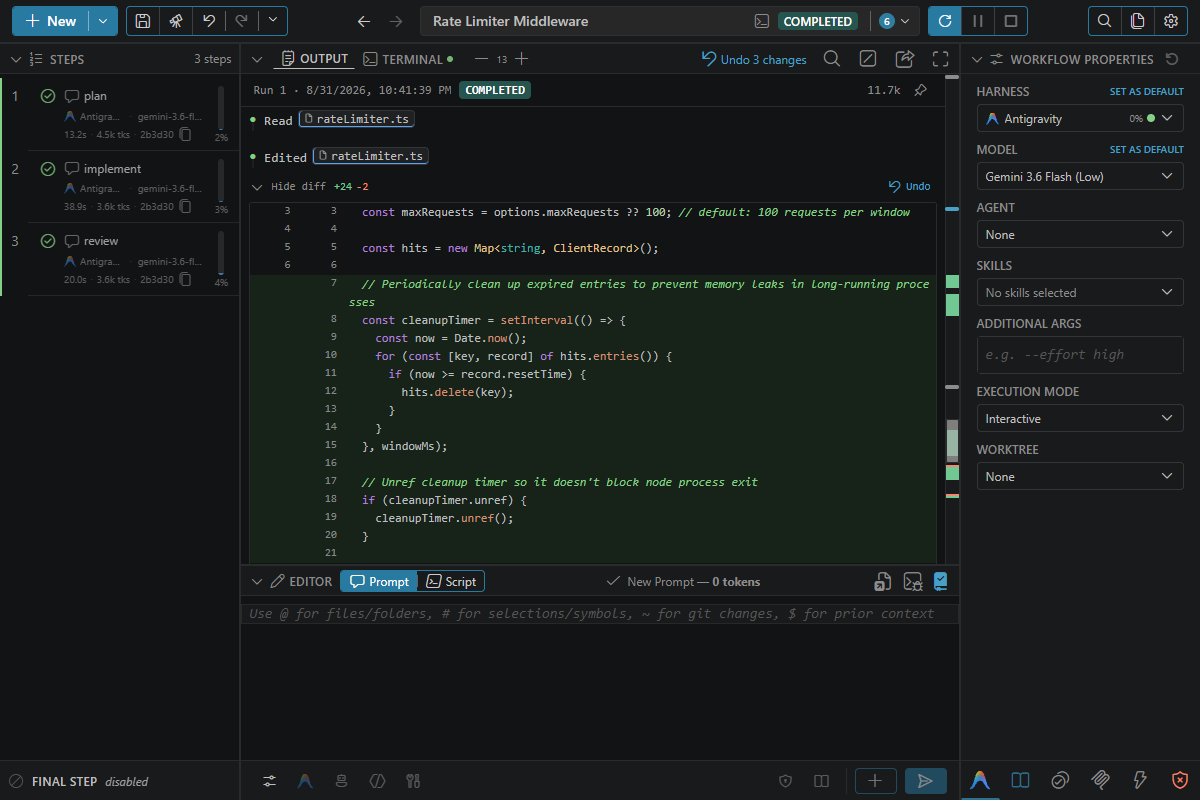
Good fit
- You want Google's current CLI path for coding workflows
- You need Antigravity model choices such as Gemini Flash, Claude, or GPT-OSS
- You want ctrlyoke workflow execution, MCP, agents, skills, and history around
agy
Prerequisites
- Command:
agy, on yourPATH. - Install: see Install.
- Sign in: run
agyonce in a terminal and sign in with your Google account. - Version: at least the minimum listed under Supported versions. Update with
agy update.
If the CLI is missing, the harness picker shows a red dot next to Antigravity CLI, and its tooltip gives the install command. If it is installed but older than the minimum, it still runs: the picker shows an amber dot and the update command, a workflow that uses it warns when it starts, and a failed step repeats that command. After installing or updating, click Retry harness detection in the harness picker. If no harness CLI is available at all, the dashboard shows a No CLI coding agent is available panel with the install command for every harness.
Install
Install agy with Google's installer. It is not published to npm.
macOS and Linux:
curl -fsSL https://antigravity.google/cli/install.sh | bashWindows (PowerShell):
irm https://antigravity.google/cli/install.ps1 | iexFrom Windows CMD, run curl -fsSL https://antigravity.google/cli/install.cmd -o install.cmd && install.cmd && del install.cmd instead.
See the Antigravity CLI docs for other install methods.
Example
harness: antigravity-cli
model: gemini-3.8-flash-low
steps:
  - prompt: Update the implementation and run the focused tests.
Headless prompts
In headless steps, ctrlyoke pipes the prompt to Antigravity's stdin and requests stream-json output. Generated sections such as agent instructions, skills and prior-step context are included in that first message. Turn off execution.inlineGeneratedPromptOnStdin to use categorized temporary files and references instead.
Model selection
The Model picker lists the models that agy models reports, with agy's own labels, such as "Gemini 3.8 Flash (Low)". ctrlyoke reads that list when it starts, so reload the window after agy adds a model. If the command fails, ctrlyoke uses its built-in list instead.
Workflow files and settings use the ID agy models prints, such as gemini-3.8-flash-low or claude-sonnet-5-5-medium, not the label. The effort tier is part of the ID (-low, -medium, -high). Set model on the workflow or on a step. Without one, ctrlyoke uses defaults.models["antigravity-cli"], which is none out of the box: no --model flag is passed, so agy uses its own default model. agy's default can be a model with a small quota, such as Claude Sonnet, which one long workflow can use up for about a day. To avoid that, set defaults.models["antigravity-cli"] to a model with more headroom, such as gemini-3.8-flash-medium. ctrlyoke passes any value to agy as is. agy rejects a model it doesn't know with an error rather than falling back to its default, so the step fails.
model: none passes no --model flag, so agy uses its own default model. See How step properties inherit.
Notes
- Antigravity 1.4.10 is the minimum supported version because it added
--settings, which ctrlyoke uses to pass per-run permission rules. - Before resuming, ctrlyoke checks Antigravity's local transcript by conversation ID. If it is missing, ctrlyoke starts a new conversation and shows a warning in the step output.
custompasses a per-run--settingsfile containing translated allow and deny rules.autosetsagentMode: "auto"and passes translated allow and deny rules.allowAllpassesalways-proceedand the deny rules, so tools are auto-approved except for denied actions.dangerouslyAllowAllstill passes--dangerously-skip-permissionsand ignores both workflow lists. The injected file unions the translated rules with your globalpermissions.allowandpermissions.deny; project and shared rules remain in force.- Shell allow rules match the entire raw command line. A chain containing an allowed command and anything else is not allowed piecemeal. ctrlyoke does not support its
sandboxproperty on Antigravity: explicitsandbox: truefails the step at launch, and one inherited fromdefaults.sandboxonly warns. On macOS and Windows, agy's sandbox makes the workspace read-only while paths outside it remain writable, and no supported setting changes the mounts. Do not pass--sandboxthroughadditionalArgs; usesandbox: trueon a supported harness. A workflowadditionalArgsvalue containing--settingsor-settingsdisables ctrlyoke's permission translation because agy uses only the last settings argument. web_searchis ungated by agy's rules, so a web-search deny cannot be enforced. Antigravity has no separate list/search tools, so denies forglob,grep,ls,list,list_directoryandlspcannot be enforced. An allowedwritealso allows reads because agy'swrite_filepermission impliesread_file.- MCP server ids containing characters outside
[A-Za-z0-9_-]are rewritten by replacing each such character with_. Permission rules use that rewritten id. - Only the
preToolUse,postToolUse,sessionStart, andstophook events fire;userPromptSubmit,permissionRequest,notification, anderrordo not. - agy has no
errorhook, but when an interactive turn fails with an API error its Stop hook reports the failure, and ctrlyoke fails the step with agy's error text instead of treating the turn as complete. A headless step that hits an API error fails with the same text, read from agy's finalstream-jsonresult. - A
preToolUsehook can block the tool call. If it prints JSON, include"decision": "allow"to let the call go ahead; agy blocks the call on JSON without adecision, even{}. A hook that prints nothing does not block it. - MCP servers are written to the workspace
.agents/mcp_config.json, whichagydiscovers on its own. There is no per-prompt server scoping, so parallel workflows in one workspace share that file's servers. - ctrlyoke's hooks go in
~/.gemini/config/hooks.jsonand are removed when the run ends. Its status line command goes in~/.gemini/antigravity-cli/settings.jsonand stays there between runs. See Files ctrlyoke writes. - For manual test runs, prefer a Gemini Flash tier to avoid exhausting the much smaller Claude quota.
- Antigravity stores some user-level config under
~/.gemini/; those paths are expected and are not Gemini CLI support.
Permissions
See Tool permissions for the cross-harness mode table and pattern details. Antigravity's command rules inspect the whole unsplit command line: allow rules refuse a chain that includes an unlisted command, while deny rules can match commands within a chain or across lines. Rules for web search and list/search tools cannot be enforced.
Usage and rate limits
Antigravity reports a separate quota for each model tier in your plan, as a percentage with a reset time. It reports them only to its status line, so ctrlyoke installs a status line command in ~/.gemini/antigravity-cli/settings.json to read them. If you already have a status line, ctrlyoke keeps running yours underneath; see Files ctrlyoke writes.
Because of that, the quota updates only while an agy session that ctrlyoke started is running, and only while the Antigravity status line is turned on in Settings → Status Line. agy has no way to ask for the quota on demand, so ctrlyoke: Refresh Harness Usage can't update it. Between runs, ctrlyoke keeps showing the last value along with the time it was read.
Quota percentages appear next to the harness in the harness picker, with the reset time in its tooltip, and on the Stats & Usage settings tab. If a queued step's harness is above usageTracking.warningPercentUsed (80% by default), ctrlyoke warns when the run starts but doesn't stop it. Turn collection off with usageTracking.enabled.
Status line
ctrlyoke changes your global Antigravity settings: the first time it runs agy, it points the statusLine key in ~/.gemini/antigravity-cli/settings.json at its own status line command. That is how it reads the quota, and agy's terminal UI shows the model, context and quota as well. The change stays in place between runs, in every project. If you already had a status line command, ctrlyoke keeps running it underneath. agy reads the setting when it starts, so a change affects only agy processes started afterwards.
To undo it, turn Antigravity off in Settings → Status Line. ctrlyoke then puts your original command back, and stops tracking Antigravity's quota. See Files ctrlyoke writes.
Sign-in problems
If your Google sign-in expires during a run, the next step that starts agy fails, and the workflow stops unless errorBehavior retries it. A headless step shows agy's error in its output; for an interactive step, look at the Terminal tab. Retries fail the same way until you sign in again.
To recover, run agy in a terminal and sign in with your Google account, then click Resume in the dashboard to retry the failed step.
From the ctrlyoke CLI, a sign-in failure exits with code 1, not 3. ctrlyoke can't tell an expired sign-in from any other error agy reports, so it counts as a failed step. Code 3 means only that the agy executable wasn't found. See Exit codes, and Harness sign-in for CI runners.
A used-up model quota is a different error: agy reports it as an individual quota limit with a reset time. Switch to another model, such as a Gemini Flash tier, or wait for the reset.