
OpenCode CLI
See the generated compatibility matrix for capability details and version-scoped evidence.
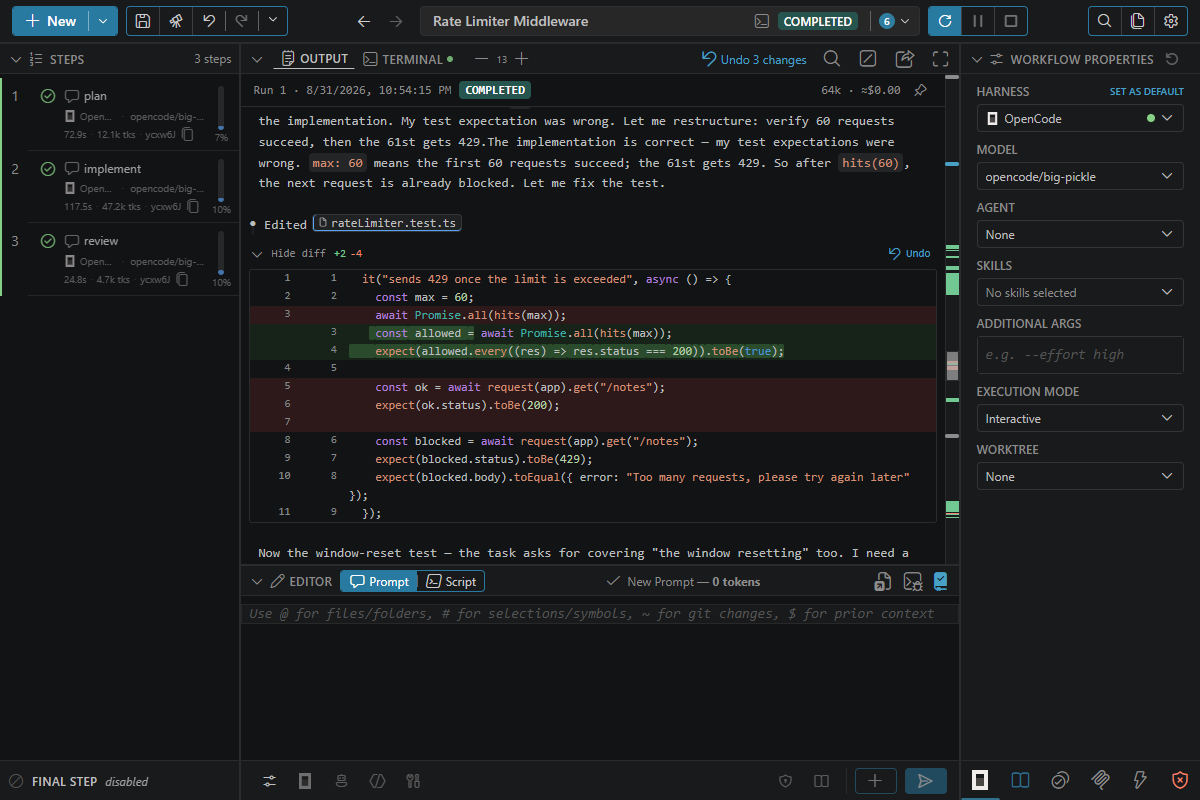
opencode-cli is the OpenCode-backed harness for teams that already rely on OpenCode as their command-line assistant layer.
Good fit
- Provider-flexible environments that already use OpenCode
- Workflows where you want ctrlyoke orchestration without switching assistant tooling
Prerequisites
- Command:
opencode, on yourPATH. - Install: see Install.
- Sign in: connect at least one model provider in OpenCode, then check that
opencode modelslists the models you want. Unless you pick a model, OpenCode uses the one from its own configuration.opencode/big-pickleis OpenCode's free model. - Version: at least the minimum listed under Supported versions. Update with
opencode upgrade.
If the CLI is missing, the harness picker shows a red dot next to OpenCode, and its tooltip gives the install command. If it is installed but older than the minimum, it still runs: the picker shows an amber dot and the update command, a workflow that uses it warns when it starts, and a failed step repeats that command. After installing or updating, click Retry harness detection in the harness picker. If no harness CLI is available at all, the dashboard shows a No CLI coding agent is available panel with the install command for every harness.
Install
These commands install OpenCode 2. Install OpenCode with its install script on macOS and Linux. It has no native Windows installer script, so use npm there.
macOS and Linux:
curl -fsSL https://opencode.ai/v2/install | bashWindows (PowerShell):
npm install -g @opencode/cliHomebrew (brew install anomalyco/tap/opencode-v2) also installs OpenCode 2. ctrlyoke still supports OpenCode 1, so an existing OpenCode 1 install (from https://opencode.ai/install, the opencode-ai npm package, Scoop or Chocolatey) keeps working.
See OpenCode's install guide for other install methods.
Example
harness: opencode-cli
model: opencode/big-pickle

steps:
  - prompt: Summarize the responsibilities of @src/platform/ and suggest one cleanup.
Model selection
The Model picker lists the models that opencode models reports for the providers you have connected. ctrlyoke reads that list when it starts, so reload the window after you connect a provider. If the command fails, ctrlyoke falls back to opencode/big-pickle, opencode/claude-haiku-4-5 and opencode/claude-sonnet-4-6.
Models use OpenCode's provider/model form. Set model on the workflow or on a step. Without one, ctrlyoke uses defaults.models["opencode-cli"], which is none out of the box: no model flag is passed, so OpenCode uses the model from its own configuration, from whichever providers you connected. Any provider/model value is passed to OpenCode as is, even one the list doesn't show. A value without a / is replaced by your default, with a warning in the log. If your default is none, no model flag is passed.
model: none leaves the model unset, so OpenCode uses the model from its own configuration. See How step properties inherit.
Notes
- OpenCode does not support ctrlyoke's
sandboxproperty. An explicitsandbox: truefails the step at launch because there is no per-run terminal sandbox mapping; atrueinherited fromdefaults.sandboxonly warns. OpenCode has no sandbox to turn off, sofalseandnulladd nothing. See Sandboxing. - The workflow surface is the same as the other CLI harnesses.
- In a headless step, ctrlyoke attaches the prompt files it writes for the step (the prompt, agent instructions, skills, prior-step context, attachment excerpts) with
opencode run --file. OpenCode puts their contents into the first message, so the model starts working without reading them first. Workspace files the prompt references with@are not attached; the model reads them itself, as before. An interactive step has no attachment option, so the model reads the prompt files there too. - Tool permissions (
mode,allowedTools,deniedTools), MCP servers, and ctrlyoke's completion plugin are delivered per process throughOPENCODE_CONFIG_CONTENT; ctrlyoke does not write a workspaceopencode.json. OpenCode's own categories are coarser than tool patterns (for example,writeandeditboth map to OpenCode'seditpermission). See Files ctrlyoke writes. - OpenCode has no judged Auto permission mode. Selecting
autofalls back tocustomwith a compatibility diagnostic. - Approved trusted external roots and your other workspace folders are granted to OpenCode as
external_directoryallow rules, OpenCode's equivalent of--add-dir, in every permission mode. For other folders, see Folders outside the workspace. - ctrlyoke works with OpenCode 1 and OpenCode 2. OpenCode 2 normally connects every
opencodecommand to one shared background service; ctrlyoke instead starts each run with its own private server (--standalone), so that run's permissions, MCP servers and completion plugin don't reach your other OpenCode sessions. Its sessions are still saved where OpenCode keeps all sessions, so they appear in your other OpenCode clients afterwards. If you pass--serverinadditionalArgs, ctrlyoke uses that server instead, and the run's per-process settings are not applied there. - To follow an interactive OpenCode 2 step, and to check a session before resuming it, ctrlyoke runs
opencode session export. That command reads the session through OpenCode's shared background service, and starts the service if it isn't running. The service keeps running after the step ends. Check it withopencode service statusand stop it withopencode service stop. - In an interactive step, OpenCode 2 can run shell commands and subagents in the background and end its turn while they run. ctrlyoke keeps the step running until each one has finished and OpenCode's turn about its result has ended (see Background work). That includes background work a subagent starts itself, which OpenCode doesn't report to the main session: the step waits until the subagent's follow-up turn has ended too, and that turn's output appears under the subagent in the step's output. In a headless step, OpenCode 2.2.5 exits when the turn ends and stops that work.
- OpenCode 2.2.5 can start a step's first turn before its MCP servers finish connecting, so that turn may not see MCP tools, ctrlyoke's own included, and the model replies that the tool isn't available. OpenCode has fixed this upstream; until a release includes the fix, rerun the step.
- On OpenCode 1, when a step resumes a session in a newly launched terminal, OpenCode opens the session and ignores a prompt passed on its command line (opencode#21829). ctrlyoke therefore hands the prompt to its completion plugin in an environment variable, and the plugin submits it once OpenCode has started, so the session appears a moment before the prompt does. If the plugin can't submit it, the step fails with an error instead of waiting for its timeout. OpenCode 2 honours the prompt, so ctrlyoke passes it directly. Steps that reuse an open terminal are not affected.
- ctrlyoke checks a resumed session by asking OpenCode to export that exact ID. If OpenCode reports
Session not found, the step starts a new session and shows a warning in its output.
Folders outside the workspace
OpenCode checks before it reads or edits a file outside the workspace. ctrlyoke always allows your approved trusted external roots and your other workspace folders. For any other folder, the permission mode decides:
| Mode | Other folders outside the workspace |
|---|---|
allowAll | Allowed |
auto | Unsupported; falls back to custom |
custom | OpenCode asks, so a headless step can't use them |
none and dangerouslyAllowAll | OpenCode's own setting, which differs between versions |
OpenCode 1 asks by default. OpenCode 2 allows these folders by default (from 2.0.25; earlier OpenCode 2 releases asked). So in none and dangerouslyAllowAll, an OpenCode 2 step can read and edit files anywhere your user account can, without asking.
To restrict this on OpenCode 2, use custom mode, or set the rule in your own OpenCode configuration (opencode.json). That setting applies to every OpenCode session, not only ctrlyoke's:
{
  "permission": {
    "external_directory": "ask"
  }
}
Use "deny" instead of "ask" to refuse those folders without asking. ctrlyoke's grants for trusted roots and workspace folders still apply.
Usage and rate limits
OpenCode doesn't report a quota, so the harness picker shows no percentage for it. ctrlyoke records what it observes in the runs it starts instead: the tokens each step used and, where the model's pricing is known (see modelPricing), an estimated cost. Those totals are on the Stats & Usage settings tab, and each step shows its own token count in the steps panel. Turn collection off with usageTracking.enabled.
Sign-in problems
If a provider's credentials expire during a run, the next step that uses a model from that provider fails, and the workflow stops unless errorBehavior retries it. A headless step shows OpenCode's error in its output; for an interactive step, look at the Terminal tab. Retries fail the same way until you reconnect the provider.
To recover, reconnect the provider in OpenCode and check that opencode models lists the model again, then click Resume in the dashboard to retry the failed step.
From the ctrlyoke CLI, a sign-in failure exits with code 1, not 3. ctrlyoke can't tell expired credentials from any other error OpenCode reports, so it counts as a failed step. Code 3 means only that the opencode executable wasn't found. See Exit codes, and Harness sign-in for CI runners.